No-Code WhatsApp Chatbot Builders Compared
WhatsApp-first vs multi-channel no-code chatbot builders compared: Wappiko, Wati, AiSensy, ManyChat, Landbot, and Botpress, honestly broken down.
Vaibhav, , 4 min read
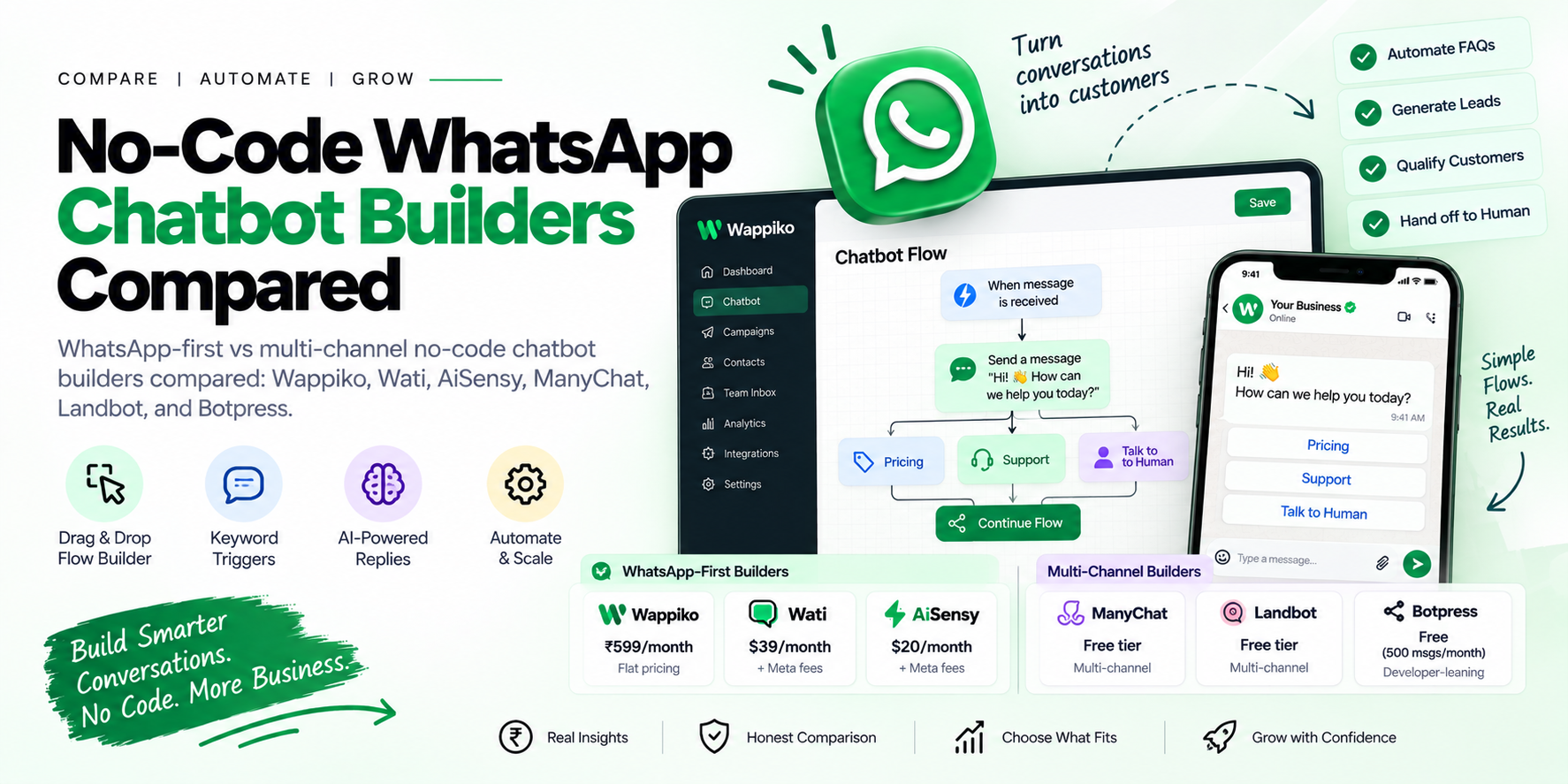
Quick answer: generic no-code chatbot builders like Landbot, ManyChat, and Botpress treat WhatsApp as one channel among several (alongside Instagram, Messenger, web chat), which means WhatsApp-specific features — button templates, keyword triggers tuned to how people actually message on WhatsApp — are often an afterthought. WhatsApp-first tools like Wappiko, Wati, and AiSensy build the flow builder around WhatsApp's actual message format from the start. If WhatsApp is your primary channel, that difference shows up fast once you're building real flows, not just testing a demo.
What "No-Code" Actually Means Here
Every tool in this space claims "no-code," but that covers a range of actual capability:
Drag-and-drop flow builder — visually connecting messages, conditions, and branches without writing logic by hand.
Keyword triggers — the bot replies when a message contains or exactly matches a phrase.
AI-powered replies — an LLM (ChatGPT, Claude, or similar) generates responses instead of only following a fixed script.
Conditional branching — the flow changes based on what the customer actually says or clicks, not just a linear script.
The gap between tools isn't usually whether they have these — it's how deep the free/entry tier goes before you hit a paywall on branching logic or AI replies.
Two Real Categories
Multi-Channel Builders (Landbot, ManyChat, Botpress)
Built to serve Instagram DMs, Messenger, web widgets, and WhatsApp all from one flow. Good if you're running bots across multiple platforms and want one dashboard — the tradeoff is that WhatsApp-specific formatting (button templates, list messages) sometimes gets less polish than platforms where the vendor has a narrower focus.
WhatsApp-First Builders (Wappiko, Wati, AiSensy)
Built specifically around WhatsApp's message and button format from day one. This category is also where you'll find WhatsApp-specific extras that a multi-channel tool is less likely to prioritize — Wappiko's flow builder ships alongside Spintax (automatic message variation), a keyword-and-phrase auto-responder, and an AI agent that can run on ChatGPT or Claude for open-ended replies, not just scripted branches.
Comparison at a Glance
| Tool | Category | AI Replies | Starting Price |
|---|---|---|---|
| Wappiko | WhatsApp-first | Yes (ChatGPT/Claude) | ₹1,499/month flat (Apex plan) |
| Wati | WhatsApp-first | Yes | $39/month + Meta fees |
| AiSensy | WhatsApp-first | Limited by plan | $20/month + Meta fees |
| ManyChat | Multi-channel | Limited by plan | Free tier available |
| Landbot | Multi-channel | Varies by plan | Free tier available |
| Botpress | Multi-channel, developer-leaning | Yes, most generous free tier | Free (500 msgs/month) |
Pricing and feature tiers change frequently — confirm current plan details directly with each provider.
How to Actually Choose
WhatsApp is your only or primary channel: a WhatsApp-first builder gets you flows tuned to the platform faster, without configuring around a generic multi-channel interface.
Running bots across Instagram, Messenger, and web chat too: a multi-channel builder like ManyChat or Landbot avoids maintaining separate logic per platform.
You want AI-generated replies, not just scripted branches: confirm which LLM is actually powering it and whether that's included at your plan tier — "AI chatbot" gets advertised at every price point, but the actual model access varies a lot.
You're also running bulk campaigns, not just a chatbot: check whether the tool bundles campaign sending too, or whether you'll need a second tool for that (see our bulk WhatsApp sender comparison if that's the case).
Common Questions
Do I need a developer to set up a "no-code" chatbot?
For basic keyword-triggered flows, no. Once you need genuinely custom logic (calling external APIs, complex conditional branching), most "no-code" tools offer a webhook or API-integration step that starts to resemble light development work.
What's the difference between a keyword bot and an AI chatbot?
A keyword bot replies based on exact or partial phrase matches you configure manually. An AI chatbot uses a language model to generate a response to whatever the customer actually types, without you scripting every possible phrasing in advance.
Can I combine automated replies with a human taking over?
Most tools in this category, Wappiko included, support handoff — the bot handles routine questions and a team member can step into the same conversation thread when needed, rather than running two disconnected systems.
The Bottom Line
If WhatsApp is where your customers actually are, a WhatsApp-first builder saves you from working around generic multi-channel assumptions. If you're managing bots across several platforms at once, that's a real reason to go the other direction.
Try Wappiko's flow builder and AI agent free for 7 days, or see the full pricing page for plan details.